Times New Roman vs. Arial: How Font Choice Changes Your Page Count
You have a five-page paper due tomorrow. You have hit a creative wall, and your essay is currently sitting at exactly four and a half pages. Desperation sets in.
You highlight all of your text and change the font from Times New Roman to Arial. Instantly, your text spills onto the fifth page. You saved your grade without writing a single extra word.
But can your professor tell? Is this considered academic cheating? And what is the actual mathematical difference between these fonts?
If you want to instantly see how font size and spacing affect your exact word count, paste your numbers into the Voyager School Words to Pages Calculator. But if you want to understand the controversial “Font Hack,” read on.
The Anatomy of Typography: Serif vs. Sans-Serif
To understand why a 1,000-word essay takes up more space in one font than another, you must understand how typefaces are constructed.
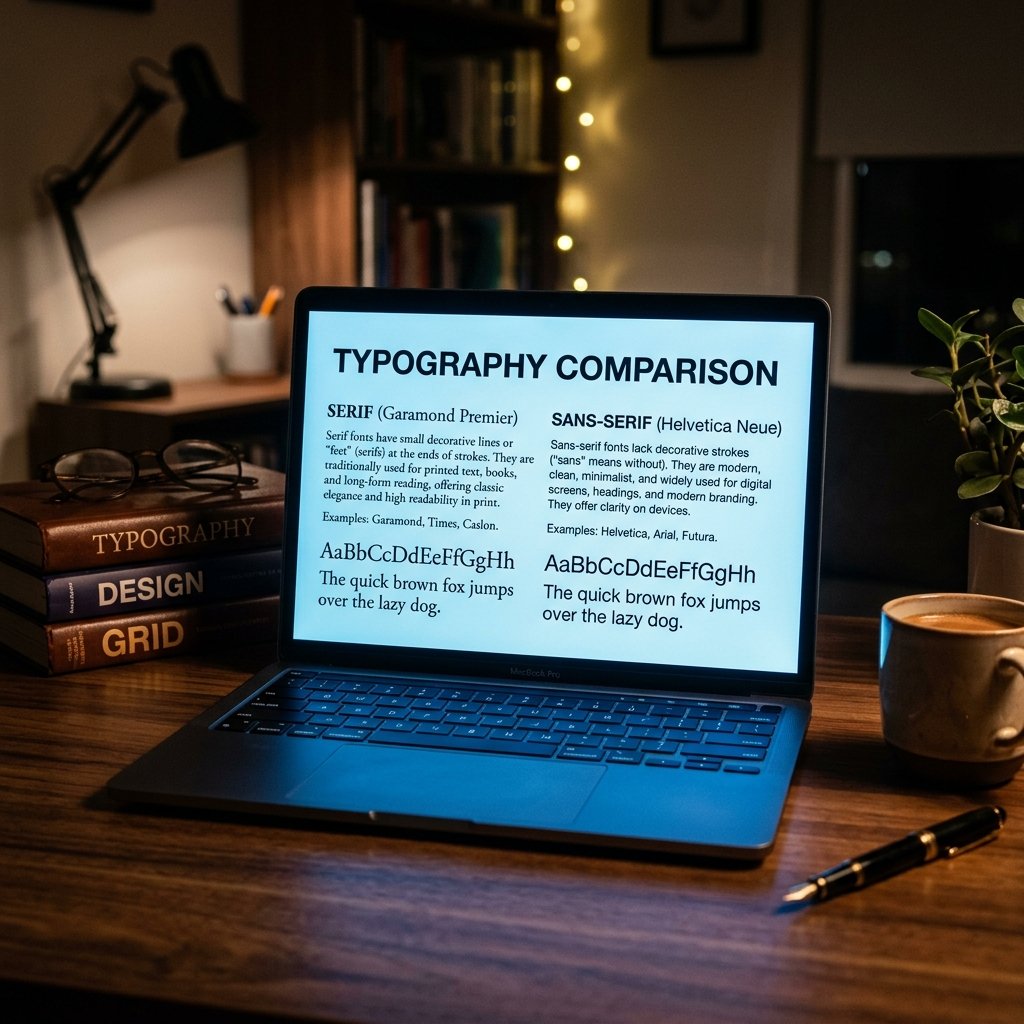
- Serif Fonts (e.g., Times New Roman, Garamond, Georgia): These fonts have small decorative lines or “feet” attached to the ends of the letters. They were designed hundreds of years ago for physical printing presses because the “feet” help guide the reader’s eye horizontally across the page.
- Sans-Serif Fonts (e.g., Arial, Calibri, Helvetica): “Sans” means “without.” These fonts do not have the decorative feet. They were designed in the 20th century to be highly legible on low-resolution computer monitors.
Because sans-serif fonts (like Arial) lack those connecting feet, the designers had to make the letters slightly wider and rounder so they wouldn’t bleed together on early computer screens. This extra width is the secret to the page-count hack.
The Math: How Much Space Do You Actually Gain?
Let’s look at a standard 1,000-word essay, formatted with 12-point font, 1-inch margins, and double-spacing.
The Baseline: Times New Roman
Times New Roman is incredibly compact. It was commissioned in 1931 by The Times of London specifically to pack as many words as physically possible into a narrow newspaper column to save money on paper.
Result: A 1,000-word essay in 12pt Times New Roman is exactly 4.0 pages.
The Expander: Arial
Arial letters are wider, rounder, and have slightly more “kerning” (the invisible space between individual letters).
Result: A 1,000-word essay in 12pt Arial stretches to roughly 4.3 pages.
The Extreme: Courier New
Courier is a “monospaced” font. This means every single letter—whether it is a narrow “i” or a massive “w”—takes up the exact same amount of horizontal space.
Result: A 1,000-word essay in 12pt Courier New explodes to over 5.5 pages.
Can Professors Tell When You Change the Font?
Yes. Absolutely, 100% yes.
While changing from Times New Roman to Arial is perfectly fine (as long as your professor’s syllabus allows either font), trying to use a massive font like Courier New or Verdana to artificially inflate your page count is a massive red flag.
Professors have graded thousands of papers. Their eyes are highly trained to recognize the exact visual density of a standard 250-word, double-spaced page. When you submit a paper in Courier New, or if you increase the font size to 12.5pt instead of 12pt, it immediately looks “airy” and suspicious.
Furthermore, when you submit your paper digitally through portals like Canvas or Blackboard, many professors use a feature that automatically strips your formatting and converts all student papers into a single, uniform font for grading. Your font hack will vanish instantly, and they will see that you are a page short.
The Ethical Way to Meet Your Page Limit
If you are short on your page requirement, do not play games with typography. Instead, add high-quality academic content:
- Add a Counter-Argument: Dedicate a full paragraph to explaining what your opponents believe, and a second paragraph dismantling their theory. This easily adds 300 words.
- Expand Your Quote Analysis: For every quote you use, ensure you have at least two sentences explaining why the quote matters and how it supports your thesis.
- Define Your Terms: Take a paragraph to deeply define the complex terminology you are using.
Want to see exactly how many words you need to hit your target? Use the Voyager School Words to Pages Calculator. Our tool allows you to select between different font sizes and spacing options so you know exactly where you stand before you submit your paper!